


Phase 1: Registration & Onboarding
Follow these guidelines to redeem your invitation, complete your organizational details, and submit your compliance questionnaire.
1. Receiving Your Invitation
The onboarding process begins when your SCM Manager initiates a request in the MDM system. Depending on your current relationship with us, you will receive one of two emails:
- New Contacts: You will receive an email containing an Invitation Code. Clicking the link will take you to the "Redeem Invitation" page where you can register a new username and password.
- Existing Contacts: If you have already registered with us in the past, you will receive a standard login email redirecting you directly to the Sign-In page.
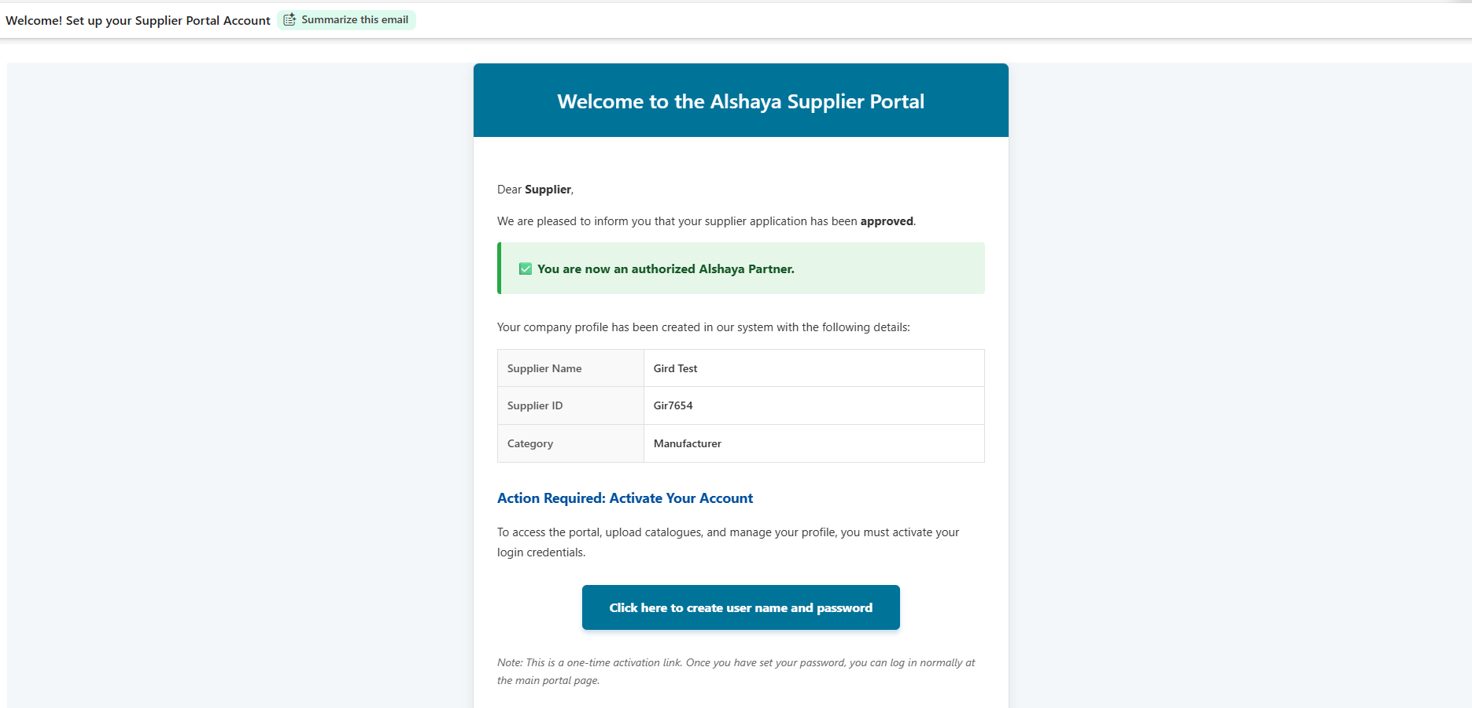
Fig 1: Example of the Supplier Invitation Email
2. Completing Supplier Information
Once you are logged in, you will receive a notification prompting you to complete your pending profile information. To do this:
- Navigate to the Registration History tab on your dashboard.
- Locate your pending registration record and click the Edit button.
- Fill in all the required organizational fields on the Supplier Form.
- Click Submit.
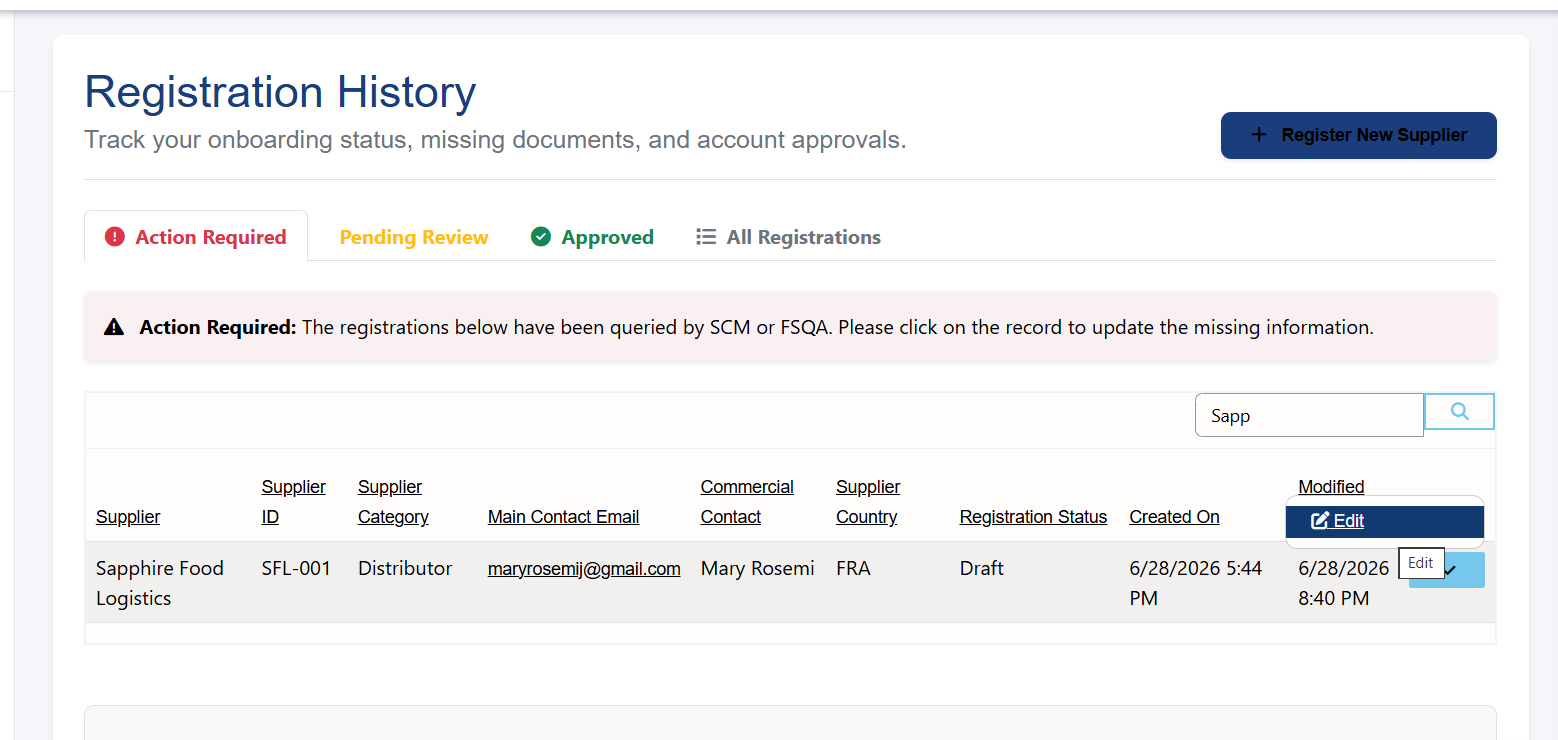
Fig 2: Navigating to Registration History and clicking Edit
3. Submitting the Questionnaire
Immediately after submitting your Supplier Form, the system will automatically redirect you to the Questionnaire Page.
You must answer all compliance and self-assessment questions presented on this screen. Once all questions are filled out, submit the questionnaire to finalize your data entry.
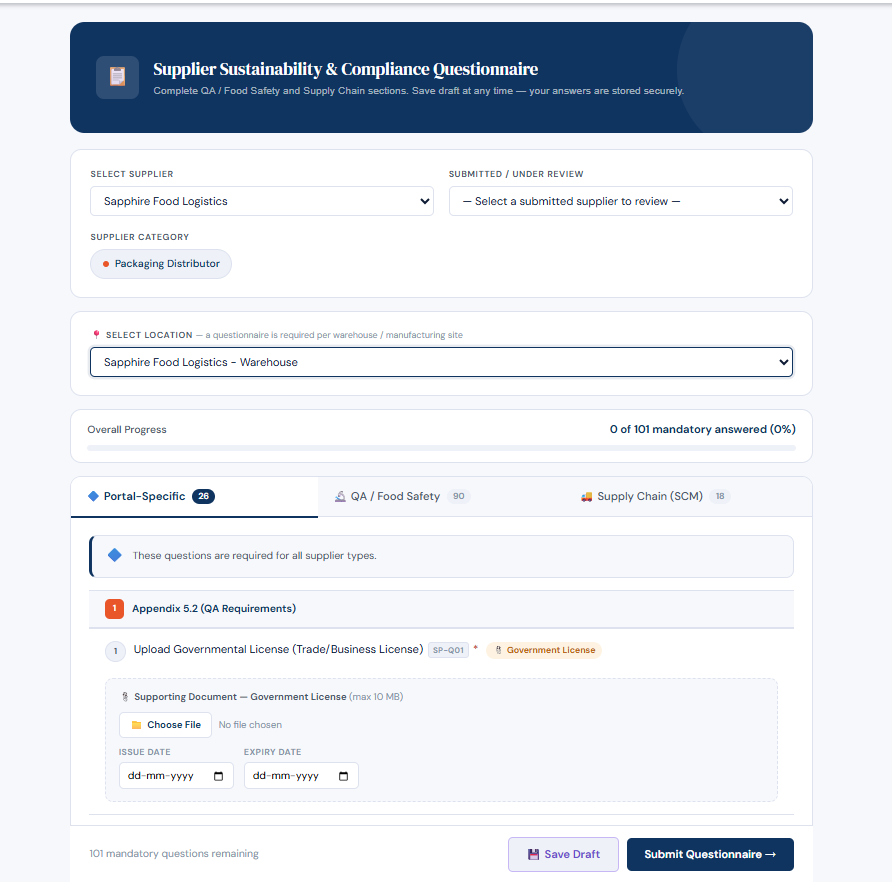
Fig 3: The Supplier Questionnaire Page
4. Approval & Catalogue Access
Upon submitting the questionnaire, your onboarding is placed into a "Pending Review" status. A task is automatically generated for both the QA and SCM Managers to review your application in parallel.